




Talimat

Tarayıcı için proxy

Her site için ayrı proxy seçmek uzun ve zahmetlidir; özellikle normal gezinmede. Tarayıcı proxy’si evrensel bir çözümdür: siteleri daha anonim ve güvenli şekilde gezebilir, her seferinde engelleri düşünmezsiniz.

Tarayıcıda чаще şu türler kullanılır:

  • CGI proxy’ler (anonimleştiriciler): en basit format — bir sayfaya girip hedef adresi yazarsınız; yazılım kurmadan.
  • Dedicated: residential ya da sunucu olabilir. Basit anonimlik ve engelli sayfalara erişim için çoğu zaman sunucu proxy yeterlidir; tanıtım/scraping için residential daha iyidir.
  • Mobil: en pahalı seçenek, ama sosyal ağlar için en etkililerden biri — IP’nin bloklanma riski genelde belirgin şekilde daha düşüktür.

GEO, bölgesel kısıtları aşmak gerektiğinde seçilir. Protokol ise göreve bağlıdır: sosyal ağlar için çoğu zaman IPv4 yeter; büyük hacimde yüksek hız için bazen IPv6 kullanılır (servis destekliyorsa).

{title}
Oluşturulan fotoğraftaki adam
Bu sıralamanın yazarı
güvenilebilir
"Proxy aldım ve artık verilerim benden daha hızlı dünyayı geziyor."
ProxyStore.net

ProxyStore.net

Fiyat:

$4.00 ile $2,000.00 arasında
₺185,12 ile ₺92.557,89 arasında

Proxy fiyatı:


Resmi siteye yönlendirileceksiniz ProxyStore.net
GloryCloud

GloryCloud

Fiyat:

$1.00 ile $20.00 arasında
₺46,28 ile ₺925,58 arasında

Proxy fiyatı:


Resmi siteye yönlendirileceksiniz GloryCloud
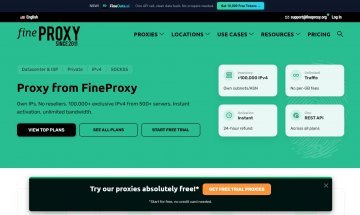
Fineproxy

Fineproxy

Fiyat:

$0.07 ile $2.00 arasında
₺3,24 ile ₺92,56 arasında

Proxy fiyatı:


Resmi siteye yönlendirileceksiniz Fineproxy
BestProxy

BestProxy

Fiyat:

$3.00 ile $7.80 arasında
₺138,84 ile ₺360,98 arasında

Proxy fiyatı:


Resmi siteye yönlendirileceksiniz BestProxy
Promosyon kodu: GXMW8E
ProxySpot

ProxySpot

Fiyat:

19₽ ile 828₽ arasında

Proxy fiyatı:


Resmi siteye yönlendirileceksiniz ProxySpot
ProxyTraff

ProxyTraff

Fiyat:

$2.00-$18.00
₺92,56-₺833,02

Proxy fiyatı:


Resmi siteye yönlendirileceksiniz ProxyTraff
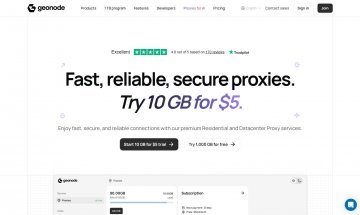
Geonode

Geonode

Fiyat:

$0.79 ile $50.00 arasında
₺36,56 ile ₺2.313,95 arasında

Proxy fiyatı:


Resmi siteye yönlendirileceksiniz Geonode
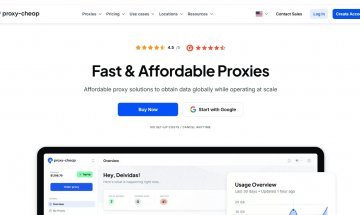
Proxy-Cheap

Proxy-Cheap

Fiyat:

$0.15 ile $16.11 arasında
₺6,94 ile ₺745,55 arasında

Proxy fiyatı:

  • IPv4

    $1.49/ay
    ₺68,96/ay

  • IPv6

    $0.15/ay; $0.52/ay
    ₺6,94/ay; ₺24,07/ay

  • Mobil proxy

    $5.99/GB; $16.11/ay
    ₺277,21/GB; ₺745,55/ay

  • Sunucu proxy

    $0.15-$1.49/ay
    ₺6,94-₺68,96/ay

  • Rezidans proxy

    $2.12/ay; $4.99/GB
    ₺98,11/ay; ₺230,93/GB


Resmi siteye yönlendirileceksiniz Proxy-Cheap
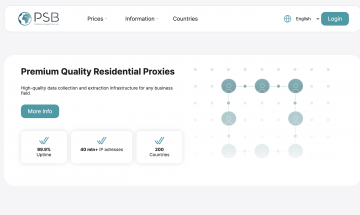
PSB Proxy

PSB Proxy

Fiyat:

$0.70 ile $2.10 arasında
₺32,40 ile ₺97,19 arasında

Proxy fiyatı:


Resmi siteye yönlendirileceksiniz PSB Proxy
Novada

Novada

Fiyat:

$0.50 ile $1.50 arasında
₺23,14 ile ₺69,42 arasında

Proxy fiyatı:


Resmi siteye yönlendirileceksiniz Novada
Promosyon kodu: Z3TjIuP
Tarifeler ve bilgiler güncellendi: 28-05-2026 00:14
Görüntüledikleriniz
Hepsini gör

tarayıcılarda proxy nasıl yapılandırılır?

tarayıcılarda proxy eklenti, sistem ayarları, ayrı profil, site kuralları ve IP kontrolü ile yapılandırılır.

Mozilla Firefox

  1. 1

    Open Firefox settings.

  2. 2

    Select manual proxy configuration.

  3. 3

    Enter gateway or IP, port, login and password.

  4. 4

    Enter the proxy data and save the settings.

Microsoft Edge

  1. 1

    Open Edge settings.

  2. 2

    Go to “System and performance”.

  3. 3

    Click “Open your computer proxy settings”.

  4. 4

    Enter the proxy in the Windows or macOS system settings.

Opera

  1. 1

    Open Opera settings.

  2. 2

    Enter “proxy” in the settings search.

  3. 3

    Open the system proxy settings.

  4. 4

    Enter the proxy IP, port and authentication.

Brave

  1. 1

    Open Brave settings.

  2. 2

    Go to “System”.

  3. 3

    Open the computer proxy settings.

  4. 4

    Add the proxy and restart the browser.

Android

  1. 1

    Open macOS System Settings.

  2. 2

    Go to Network → active connection → Details.

  3. 3

    Enter server, port and authentication details.

  4. 4

    Ülke, şehir ve sağlayıcıyı kontrol edin.

Anti-detect browsers

  1. 1

    Create a new browser profile.

  2. 2

    Open the profile proxy settings.

  3. 3

    Select HTTP, HTTPS or SOCKS5.

  4. 4

    Enter the proxy data and run a connection check.

Tools for browser proxies

RateProxy

Install extension

Extension for connecting and switching proxies in Chromium-based browsers without changing system settings.

Kurulum Install extension → create profile → enter IP, port and access details → enable proxy.

FoxyProxy

Options

Extension for managing multiple proxies, profiles and URL rules in Firefox and Chromium-based browsers.

Kurulum Options → Add Proxy → enter proxy data → add site rules → select mode.

System proxy

Windows / macOS

Suitable for Edge, Opera, Brave, Safari and other browsers that use system network settings.

Kurulum Open network settings → enable proxy → enter server, port and authentication → restart browser.

Proxifier / ProxyCap

Separate browser

Tools for routing a specific browser through a proxy without changing system-wide settings.

Kurulum Add proxy → create a rule → select the browser executable → assign an HTTP, HTTPS or SOCKS5 proxy.

IP check

Tanılama

The check shows whether the proxy was applied in the selected browser. Compare the external IP before and after connection.

Kontrol edin External IP → country → city → ASN → provider → old IP absent in the browser.
© Copyright 2026 RateProxy.com. Tüm hakları saklıdır. Bizimle iletişim: info@rateproxy.com